
Solutions by sector
What Telemesure monitors for you, sector by sector
A cold room, a roadside cabinet, a truck on its rounds, a remote field: every sector has its own equipment and its own risks. Here is what Telemesure measures in each sector, who gets notified and what you gain from it.

Eight sectors
Find your sector
Each example follows the same thread: the need, what Telemesure does, what you gain and the sensors most often used.
The “Real-world example” boxes describe projects carried out for customers, without naming them. The “Use case” boxes describe a typical use.
Cold chain & food
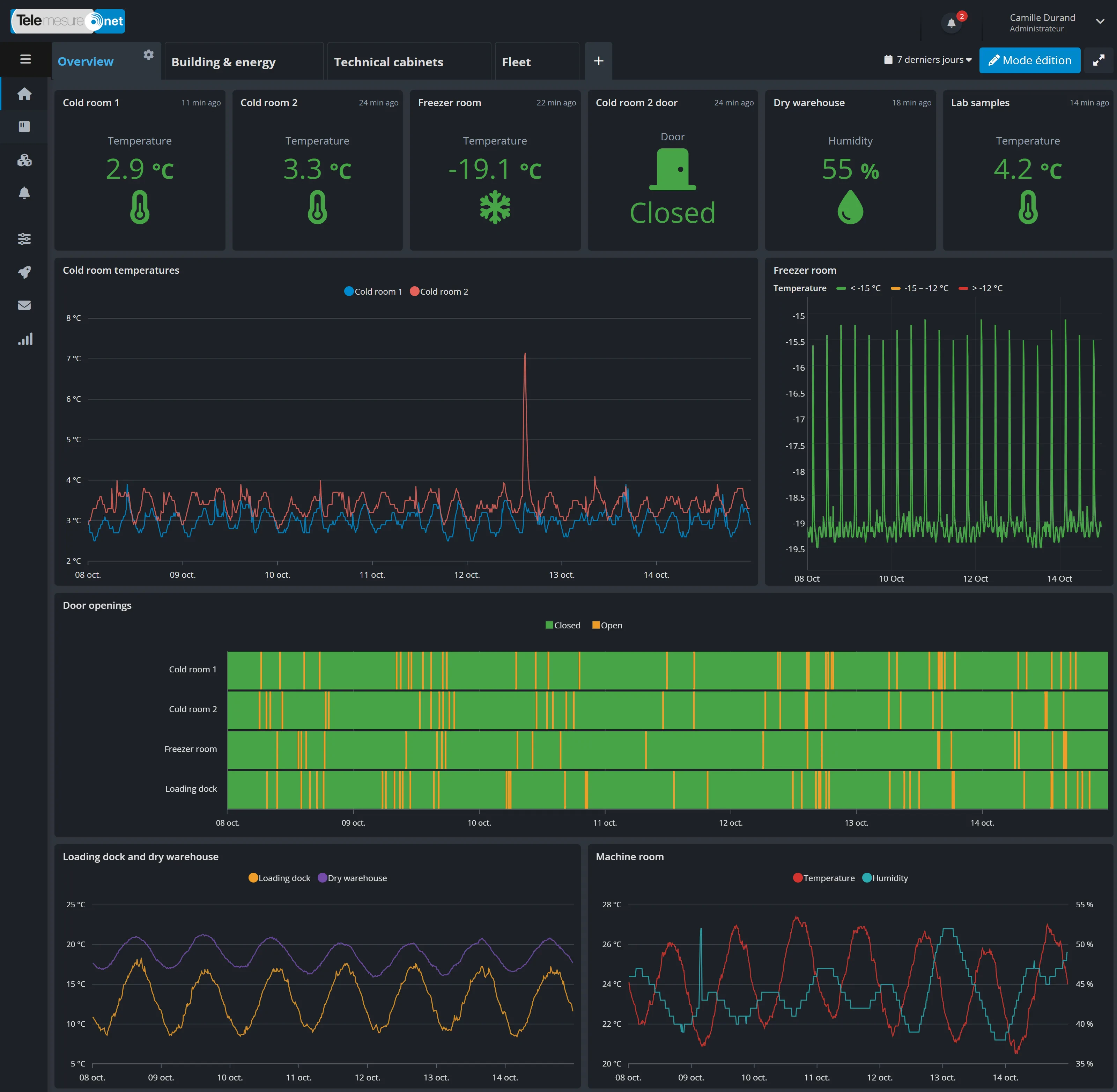
A cold room drifting out of range at night? You’ll be told.
For food shops, restaurants and caterers, warehouses and technical rooms.
The need
A cold room that breaks down at night, a door left ajar, a water leak in a storeroom: with nobody on site, you only find out the next day, with lost stock or damaged equipment.
What Telemesure does
Probes take regular temperature and humidity readings. An external probe on a cable can measure right inside the cold room. Detectors pick up water or a door being opened.
The moment a threshold is crossed for the length of time you have chosen, or a door stays open too long, an alert goes out by email, push notification, text message (SMS) or voice call.
What you gain
- The right person notified, at night and at weekends, according to your on-call rota
- No alert for a door opened for a few seconds, thanks to the minimum duration
- Your readings as charts, as spreadsheet exports and as PDF reports sent by email
Sensors most often used
- Temperature probe
- Temperature and humidity
- Door contact
- Water leak detector
Buildings & air quality
Healthy air and well-used spaces, room by room
For offices, schools, shops, local authorities and buildings open to the public.
The need
Stale indoor air is bad for health and concentration: you need to be able to measure it room by room. And to manage your premises well, you want to know how many people come through and which rooms are really used.
What Telemesure does
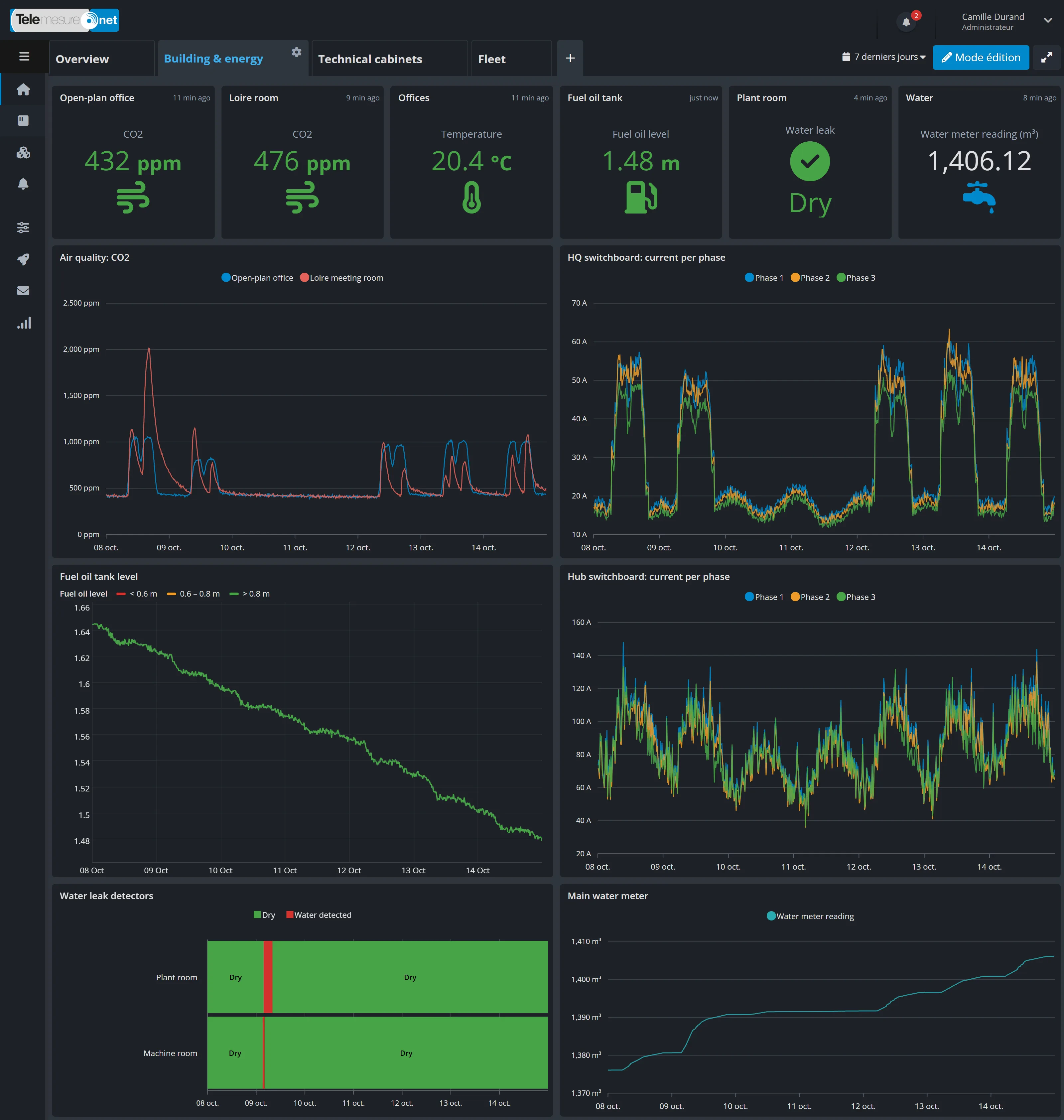
Sensors measure CO₂, volatile organic compounds (pollutants given off by paint, furniture or cleaning products), fine particles, formaldehyde, temperature, humidity and light levels. An alert goes out when a limit is exceeded.
People counters, presence sensors and parking space sensors measure footfall and occupancy. Some connected smoke or carbon monoxide detectors also report their alarms and maintenance reminders. Outdoor pollution and local weather can round off the picture.
What you gain
- Knowing when to air a room, and which one
- An alert when a threshold you have set is exceeded
- Cleaning, reception and space planned around actual occupancy
- A dashboard for each building, which can be shown full screen on a reception display
Sensors most often used
- Air quality (CO₂, pollutants, particles)
- Temperature and humidity
- People counter
- Presence sensor
- Parking space sensor
Energy & consumption
Your consumption read remotely, and any drift spotted
For building managers, industrial companies, local authorities and power grid operators.
The need
Track your consumption without reading meters by hand, and quickly spot anything that drifts: a machine left on over the weekend, a leak that keeps the water meter turning at night.
What Telemesure does
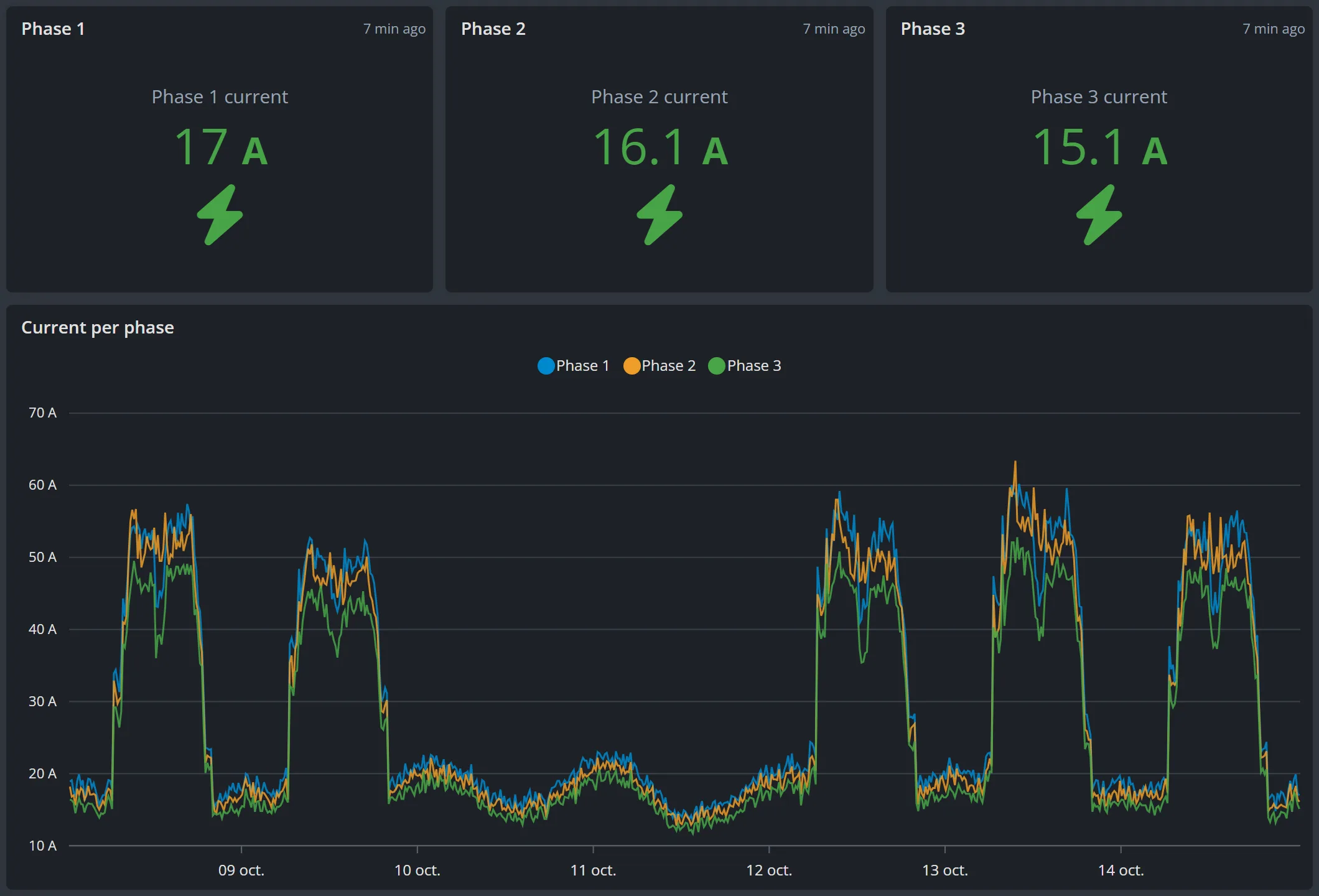
Three-phase electricity meters, the kind found in commercial installations, report energy, power, voltage and current. Current clamps measure the individual circuits of an electrical switchboard, and pulse modules read your existing water or gas meters.
Charts and alerts let you follow your consumption over time.
What you gain
- Fewer rounds to read the meters
- An alert when consumption goes over the threshold you choose
- Charts to compare your sites and periods, and a spreadsheet export for your reports
Telemesure tracks the quantities consumed, but does not calculate your energy costs or tariffs.
Sensors most often used
- Three-phase electricity meter
- Current clamp
- Pulse module (water, gas)
- Power line fault detector
Technical cabinets
Your technical cabinets monitored, every opening tracked
For operators of outdoor technical cabinets and their maintenance teams. Grolleau, the publisher of Telemesure, designs and manufactures technical cabinets.
The need
A power cut, a failed fan or batteries at the end of their life can take equipment out of service without anyone knowing. And a cabinet installed in the street can be forced or opened without authorisation: you need to know who opened what, and when.
What Telemesure does
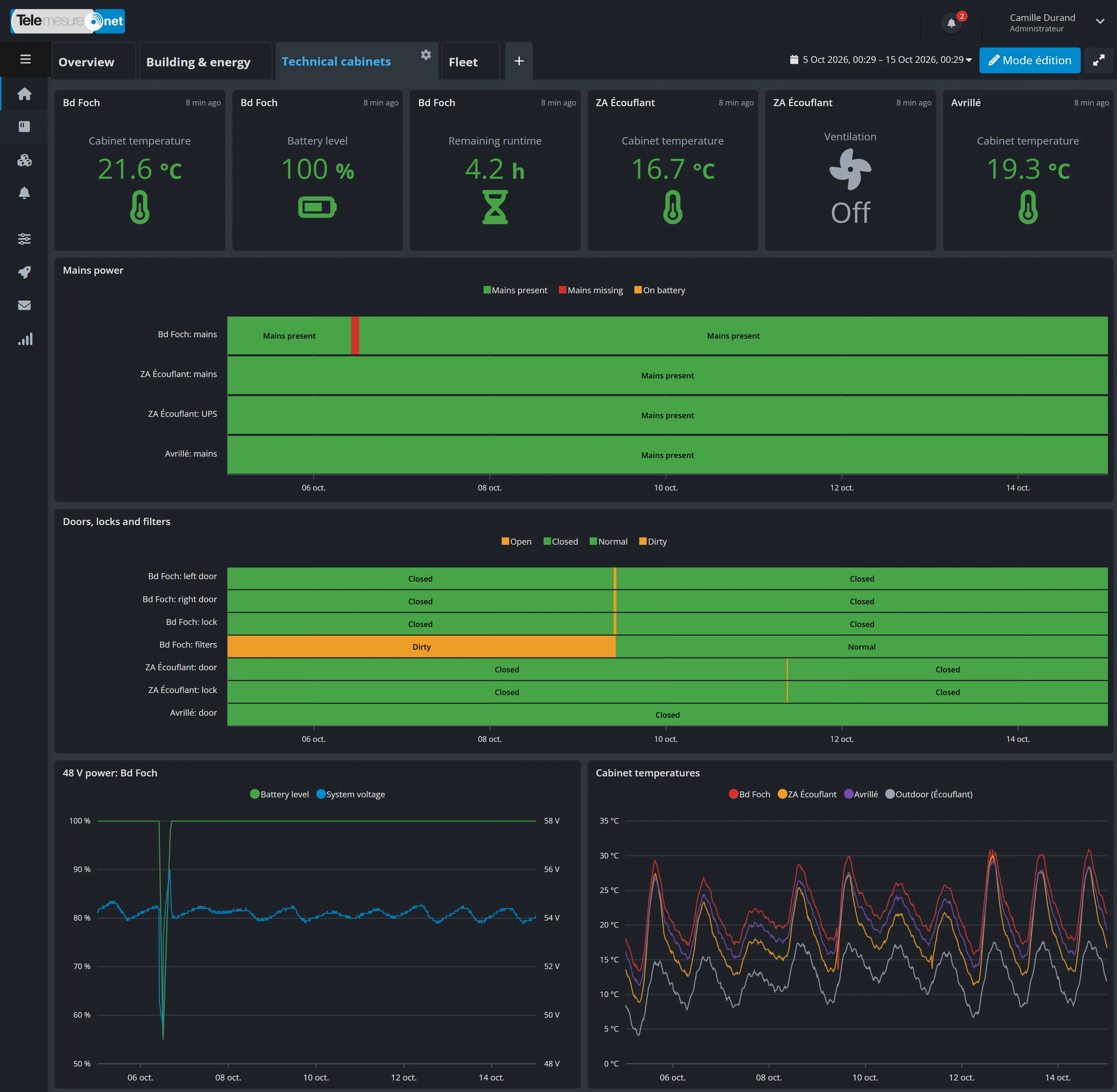
Telemesure regularly reports the status of the cabinet: door openings, mains power, surge protector (which protects the cabinet from lightning), fans and filters, power supply alarms, and batteries (backup time, charge level, temperature). The temperature inside the cabinet is tracked too.
Every measurement can trigger an alert.
What you gain
- Being notified when a cabinet loses mains power and switches to its batteries
- Planning ahead for battery and filter replacement
- Knowing which door was opened, and when
Measurements most often tracked
- Door openings
- Mains power
- Backup batteries
- Fans and filters
- Temperature
- Connected lock
Vehicles & machinery
Your vehicles on a map, and an alert if they move at the wrong time
For businesses that manage vehicles, trailers or construction machinery.
The need
Know where your vehicles and machinery are, find their latest positions, and be notified if they move when they should be standing still.
What Telemesure does
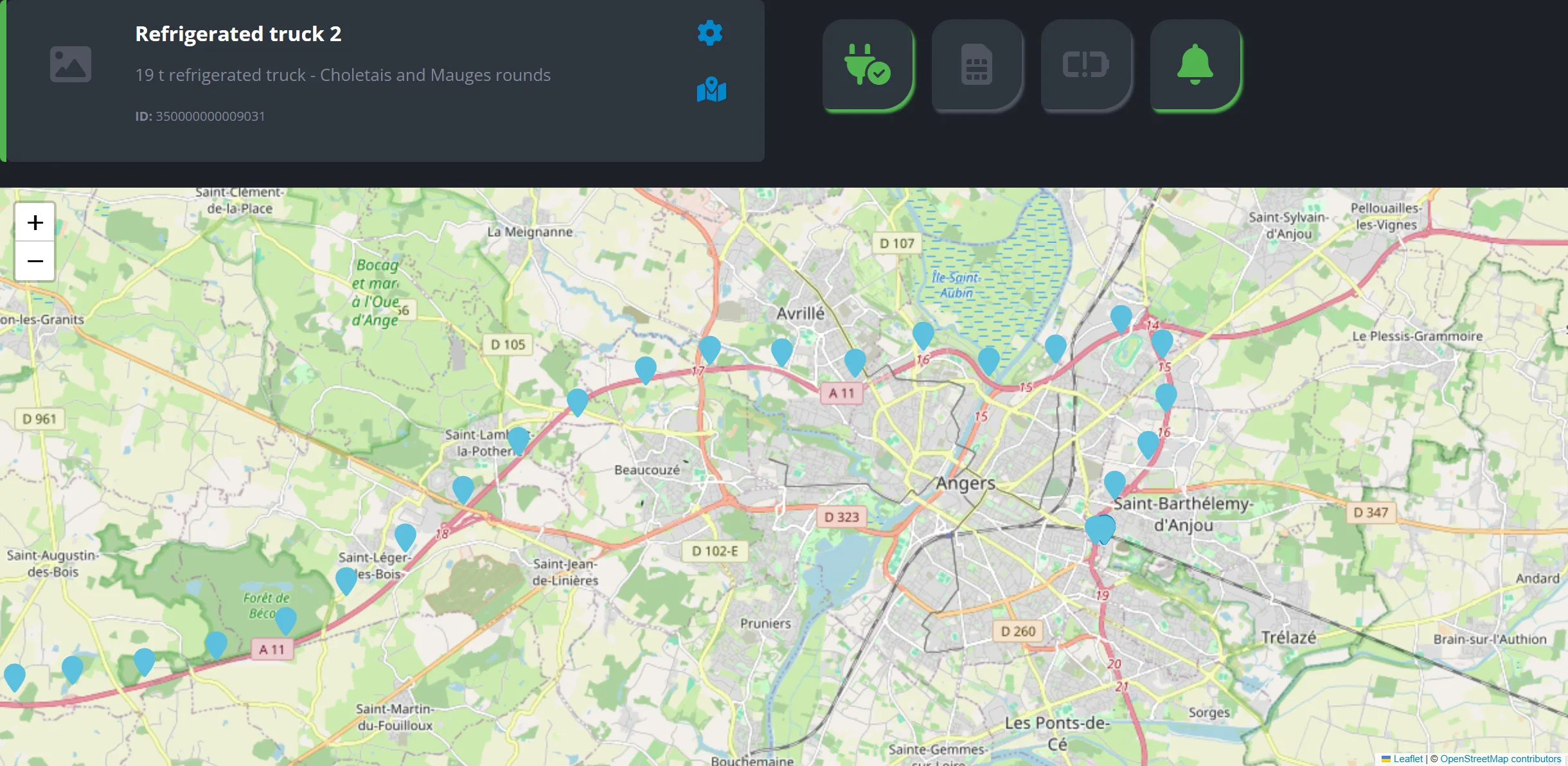
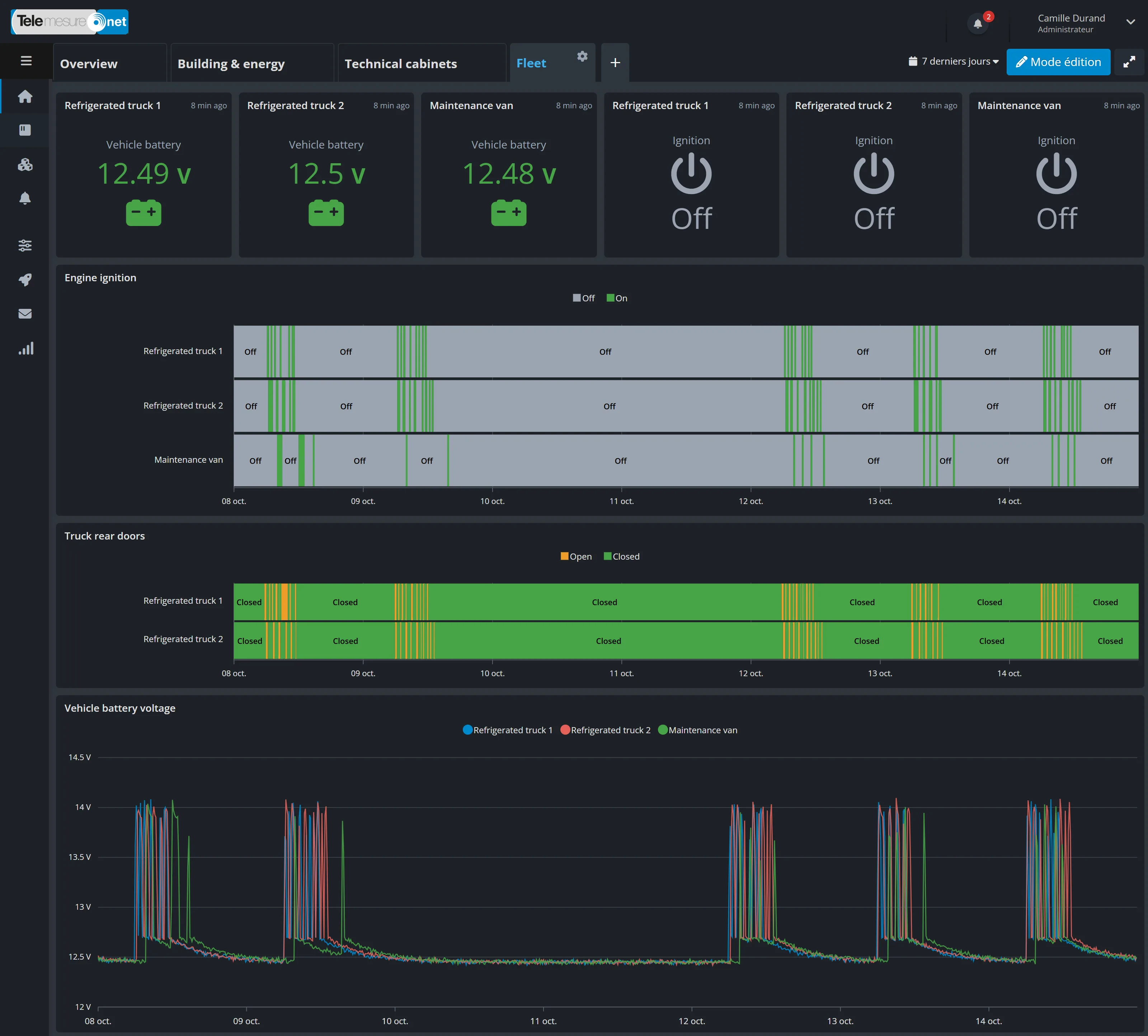
Depending on the tracker, the portal receives the GPS position, speed, movement, battery voltage and, if the equipment supports it, the ignition (on or off). It shows your fleet on a map, along with each vehicle’s latest positions over the period you choose.
A movement alert can be sent only at the times you choose, for example at night and at weekends.
What you gain
- Finding a machine without calling round everyone
- Being notified of unusual movement, at night or at the weekend
- Keeping an eye on the battery of vehicles that stand idle for long periods
Equipment most often used
- GPS tracker
- Motion detection
- Vehicle ignition, depending on the tracker
- Battery voltage
Industry & storage
Pumps under watch, tanks read without a site visit
For industrial sites, maintenance teams and operators of liquid storage.
The need
A pump that runs hot or vibrates abnormally can end up breaking down and stopping production. And going on site to check whether a tank is full or empty means a lot of costly trips.
What Telemesure does
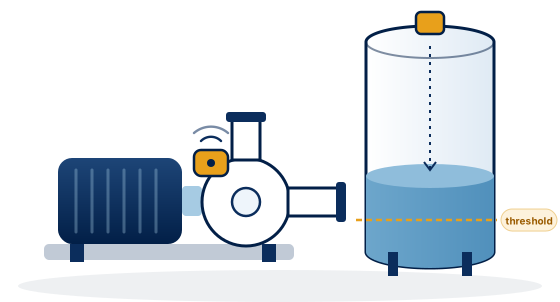
For your pumps. A sensor fitted to the pump reports its operating hours, the temperature of the pump body, the suction and the discharge, and its vibration level. Alert thresholds notify you the moment a temperature or vibration goes over the value you have set.
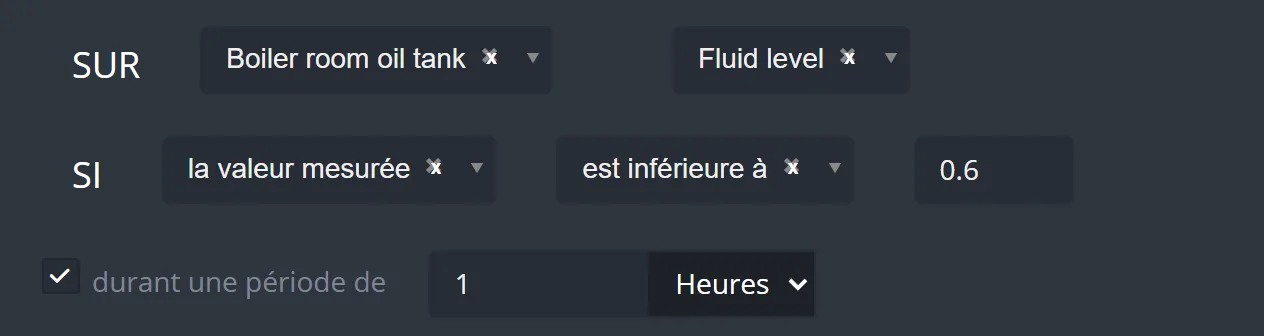
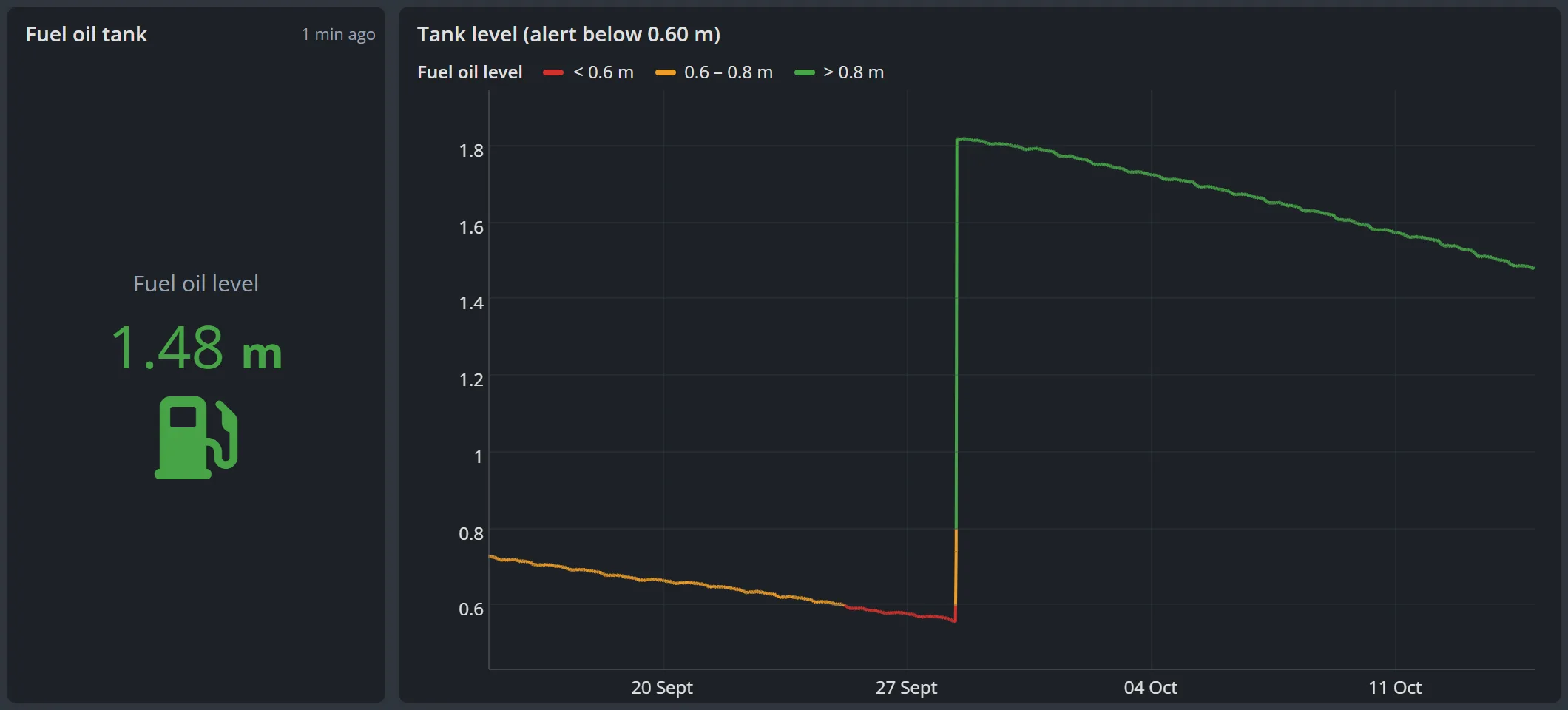
For your tanks, vats and containers. A sensor measures the distance down to the liquid, or the pressure at the bottom of the tank. A simple formula, set up in the portal, converts the reading into centimetres or litres for a straight-sided tank. An alert goes out when the level reaches the threshold you choose.
What you gain
- Being notified the moment a pump runs too hot or vibrates too much, so you can step in in time
- Fewer trips to read levels
- Reordering or emptying at the right time
Sensors most often used
- Pump vibration and temperature
- Operating hours
- Level sensor
- Submersible level probe
Agriculture & livestock
Fields monitored remotely, from irrigation to fencing
For farms, livestock farmers and grounds maintenance services.
The need
Watering at the right time and in the right amount, without wasting water. And on livestock farms, an electric fence that stops working lets animals escape, while the fields are often far from the farm.
What Telemesure does
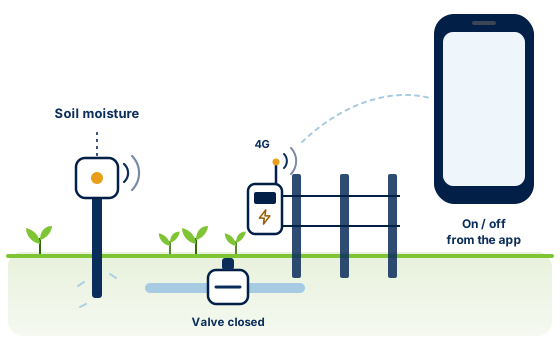
Sensors set in the ground measure soil moisture, temperature and conductivity, which reflects the mineral salts in the soil. Irrigation units report valve opening, water volume, rainfall, and air temperature and humidity.
Alerts flag soil that is too dry or a valve left open.
What you gain
- Watering according to how moist the soil really is
- Being notified of a valve left open
- Fewer rounds to check distant fields
Equipment most often used
- Soil moisture sensor
- Irrigation unit
- Connected fence energiser
Manufacturers & distributors
Offer connected products without building your own platform
For equipment manufacturers and their reseller networks.
The need
You want to launch connected products without developing your own platform. That means activating, monitoring and supporting devices installed at many customers’ premises, often through resellers.
What Telemesure does
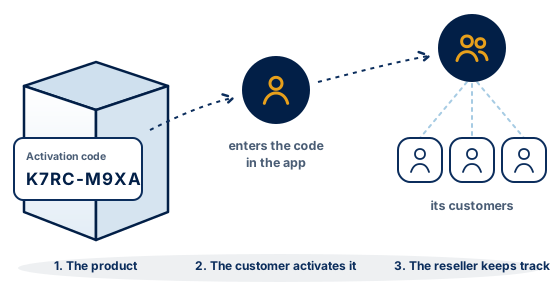
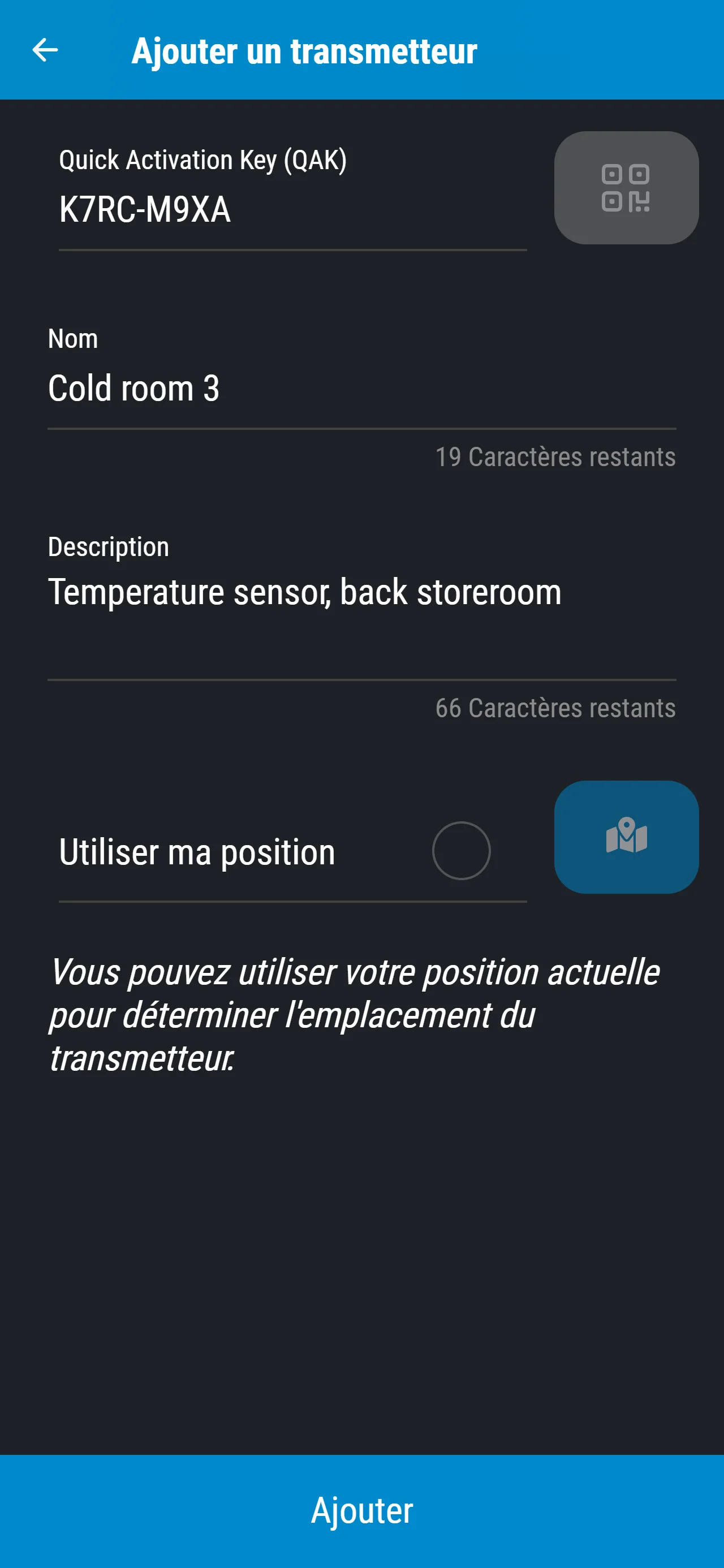
Each product can be given a unique activation code, linked to its settings and its network connection. You print it on the label, then your customer activates the product themselves with this code, in the portal or in the mobile app.
Working with our team, you get a portal or an app in your own colours and branding. Your resellers have their own area: their customers’ accounts, devices and activation codes.
What you gain
- Customers who put their products into service on their own
- Resellers who manage their customers in their own area
- Your brand front and centre, on your own portal
- Remote software updates, for devices designed for them
The building blocks used
- Activation code
- Portal or app in your own colours
- Reseller area
- Remote updates
- API for your IT teams
For every sector
The same portal, whatever your sector
Whatever your line of work, you get the same tools to be notified, follow your measurements and share your data. Your equipment isn’t in these examples? We will look at connecting it with you and, where useful, at custom development.
In every case
All features-
Four ways to be notifiedEmail, text message (SMS), voice call, push notification
-
On-call rotaWho to notify, by severity and time of day
-
DashboardsCharts and values, full screen if needed
-
Mobile appAndroid and iPhone, alerts and device pages
-
Spreadsheet exportCSV file, link sent by email
-
To your softwareReadings sent automatically
Request a demo
Let’s talk about what you want to monitor
Tell us which equipment and which sites are involved. We look at your needs and show you Telemesure on an example close to yours, using demo data.
Already a customer?
Access your account or ask our team a question.
Support hours: Monday to Friday, 9:00 to 17:30 (Paris time), excluding public holidays.